
 Android app
A2B Meal Planner
Weekly meal plans, a real shopping list, priced for your supermarket.
Coming soon to Google PlayFree to use. Made for UK households, from singles to families with kids.
Dinner sorted, shop sorted
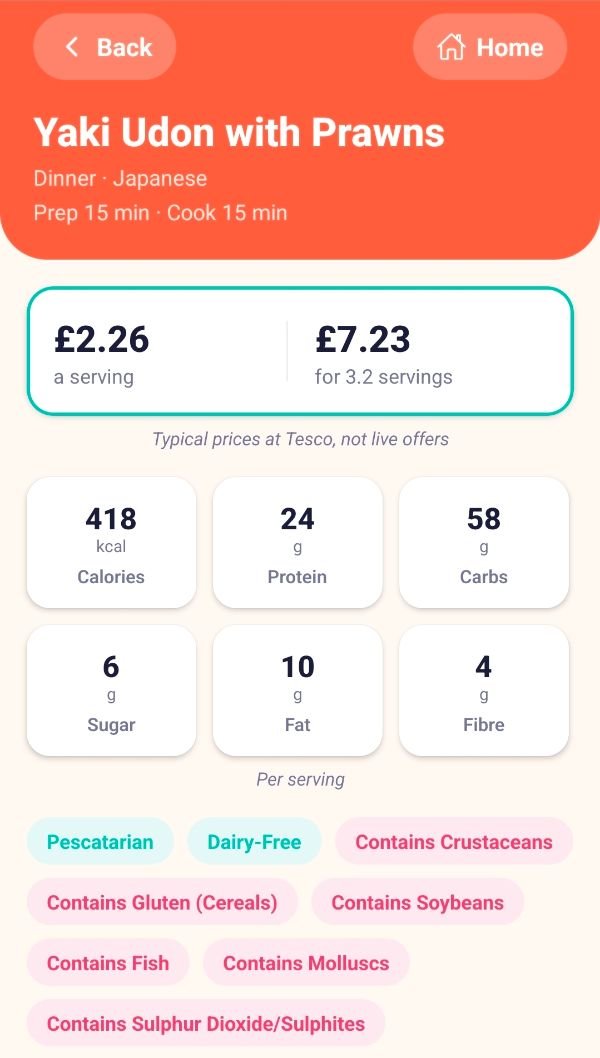
Over 1,300 recipes across around 36 cuisines, planned around your household and priced for your supermarket.
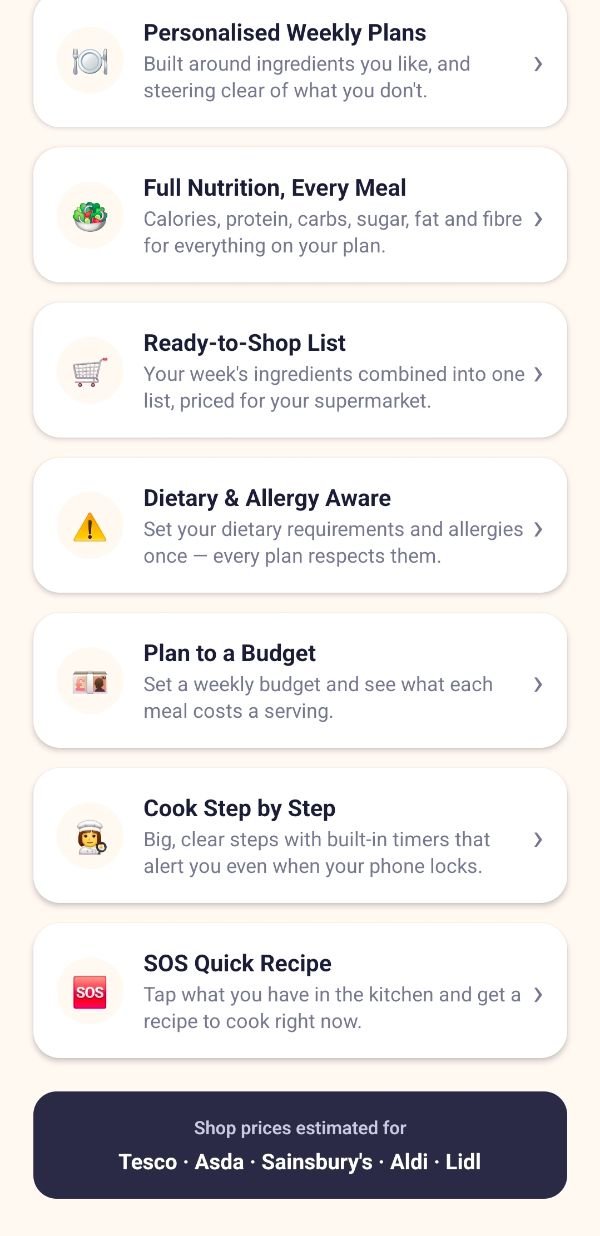
Weekly meal plans
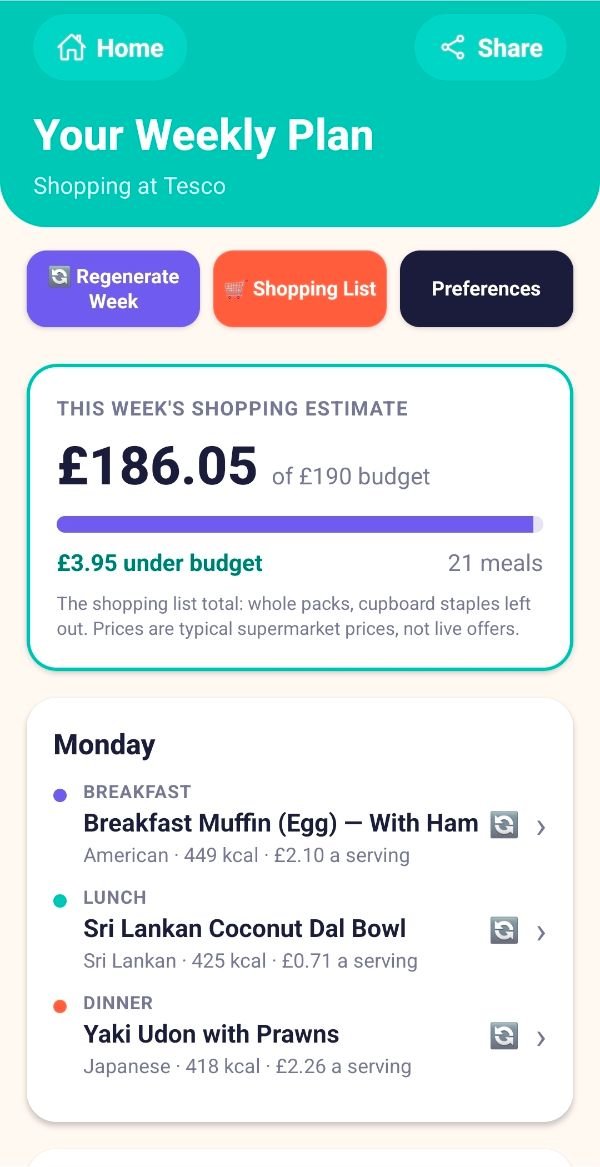
Breakfast, lunch, dinner and snacks for the days you choose, with any single meal swapped in a tap.
A real shopping list
Every ingredient combined, scaled to your household, grouped by aisle and priced for your supermarket.
Fully customisable
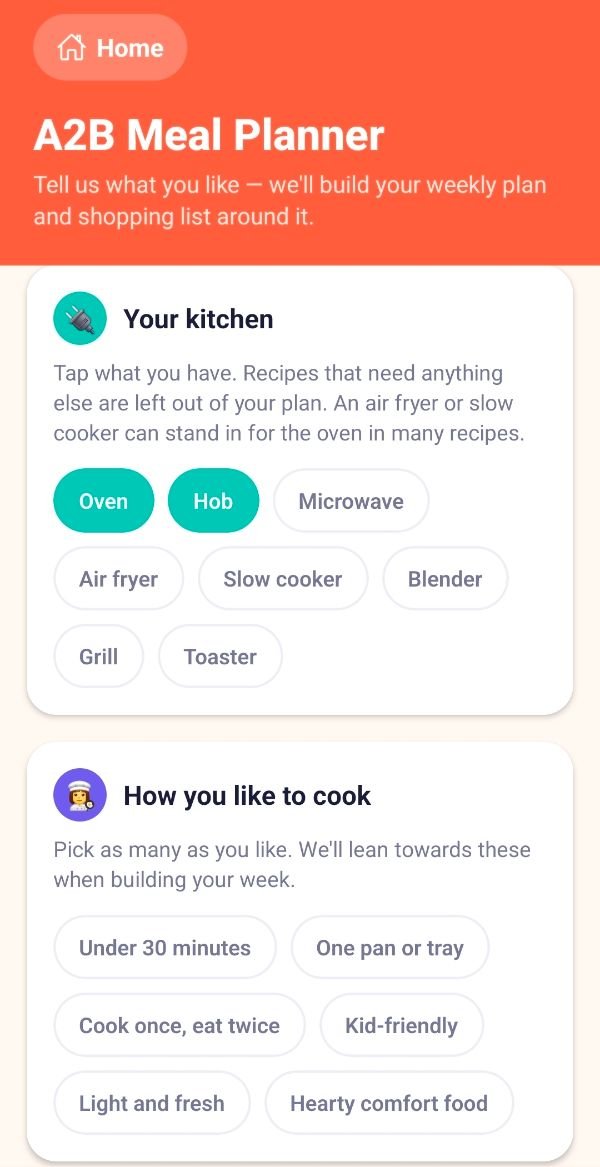
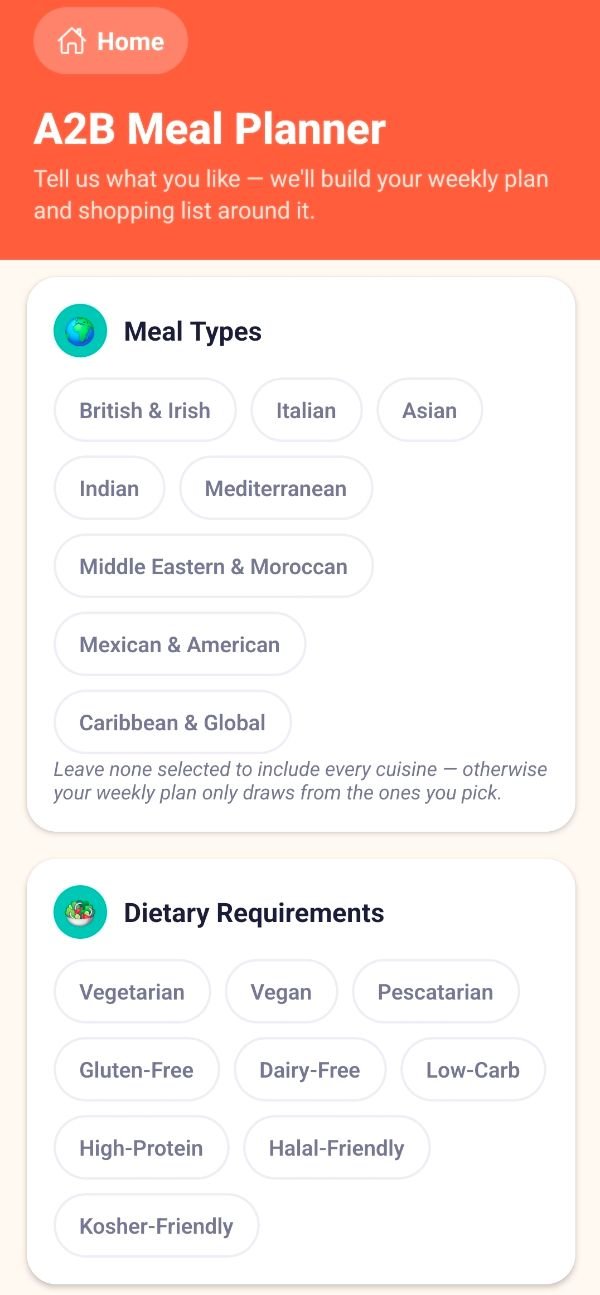
Diets, the 14 major allergens, cuisines, kitchen equipment, cooking styles, and foods you like or want to avoid.
Plan to a budget
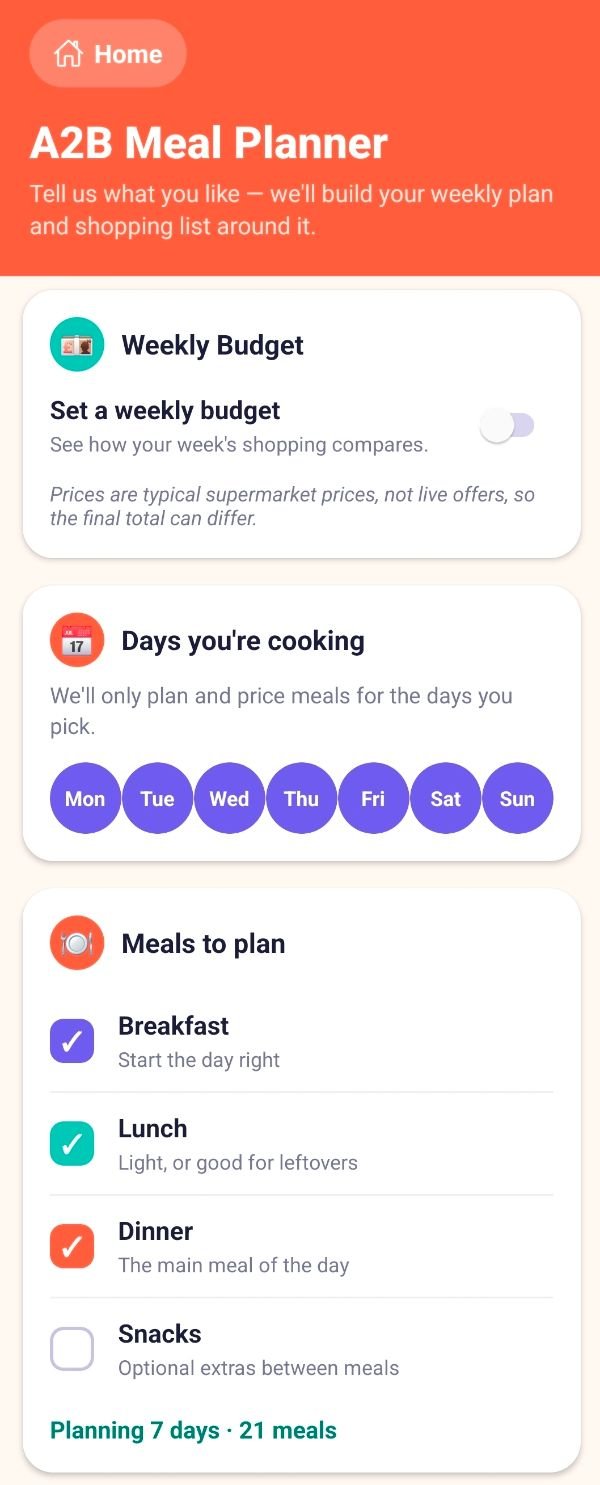
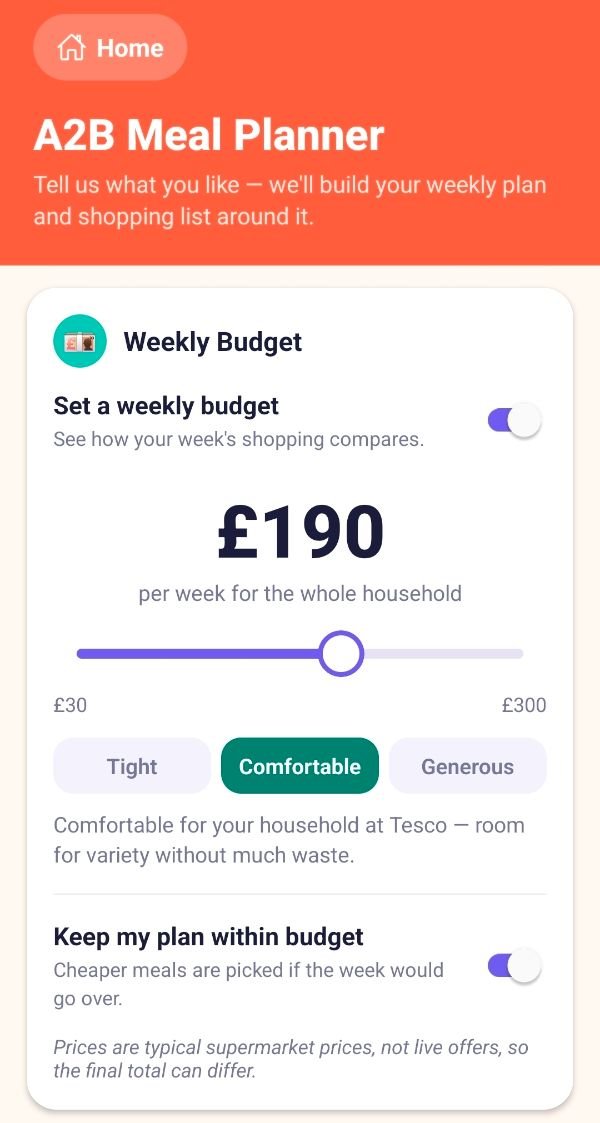
Set a weekly budget and see the cost of every meal. The plan can swap pricey meals for cheaper ones.
Cook step by step
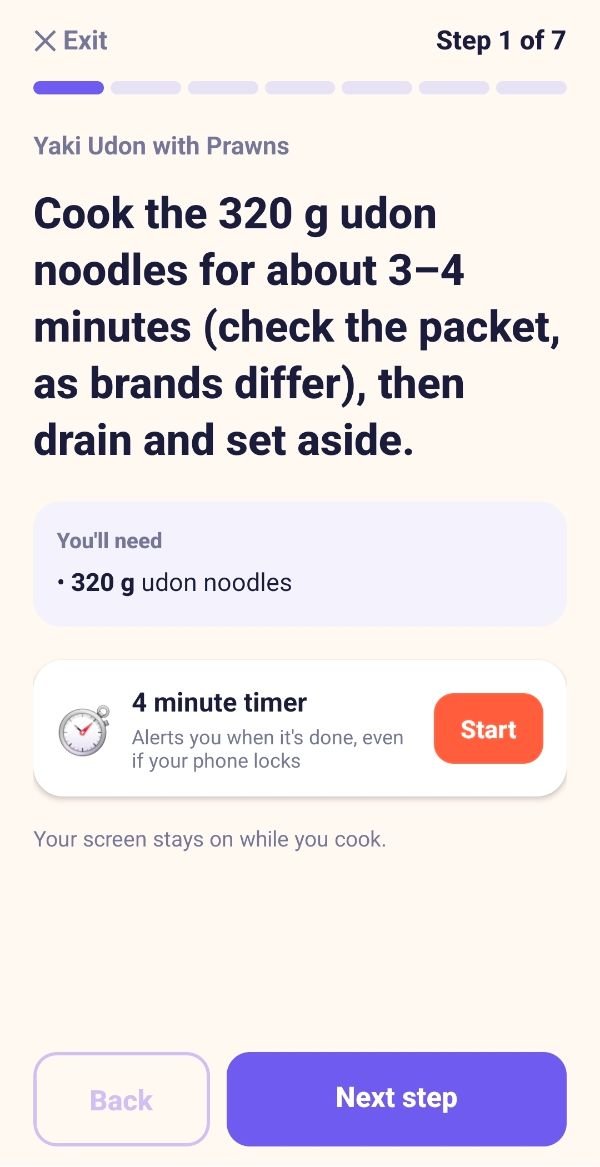
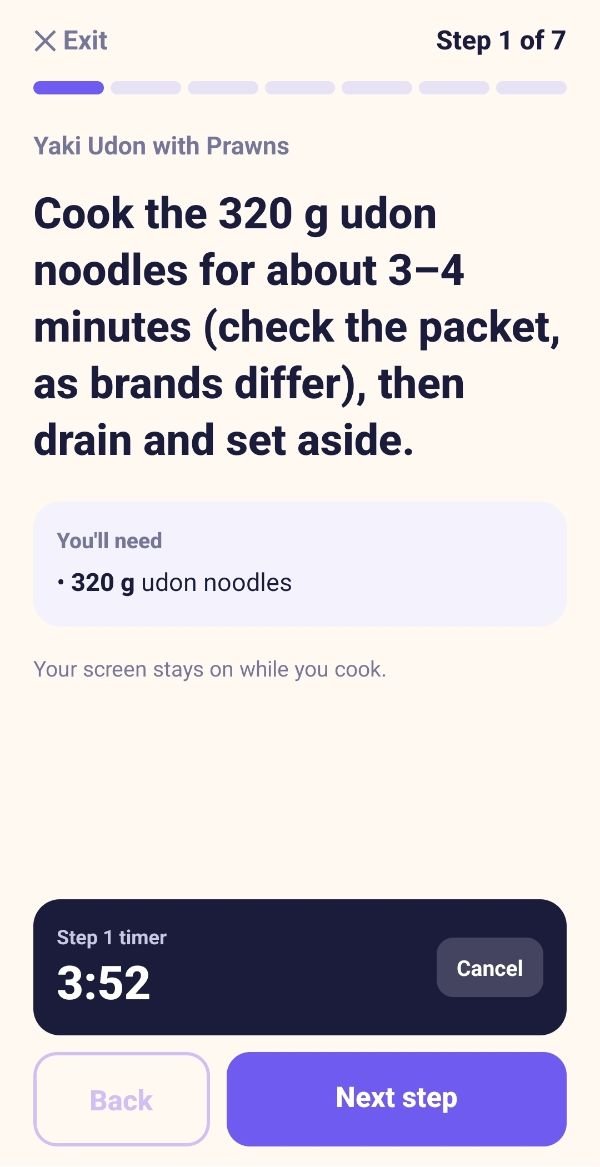
Clear steps with built-in timers that alert you even when your phone is locked.
SOS Quick Recipe
Short on time? Tell it what is in your kitchen and it finds the best thing to cook right now.
Made for families
Adults and kids counted properly, with 372 kid-friendly recipes and sensible portions.
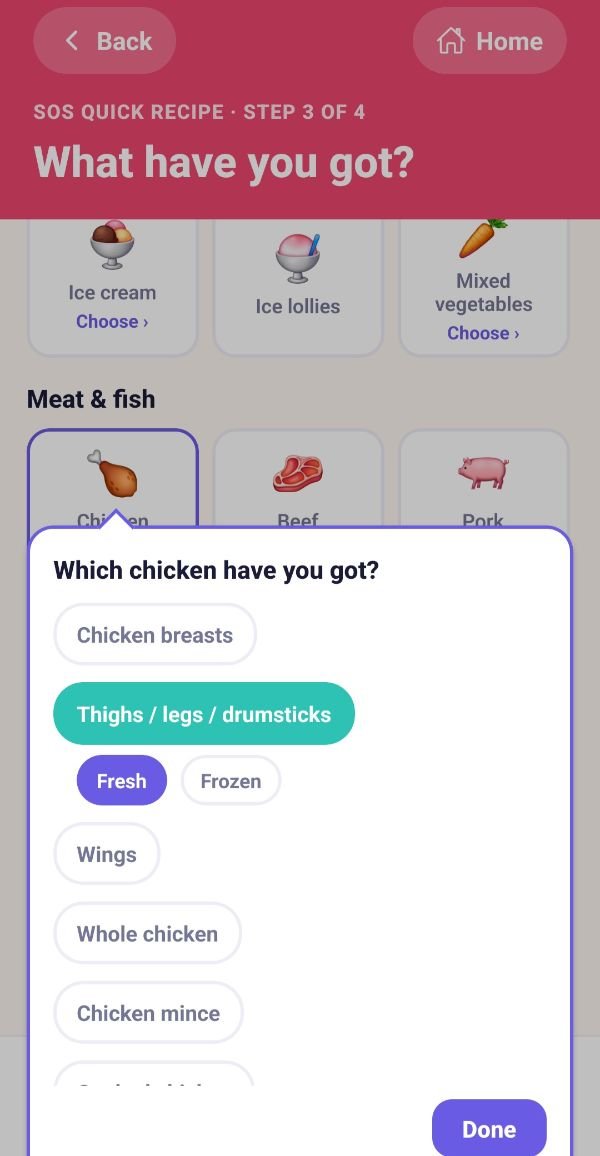
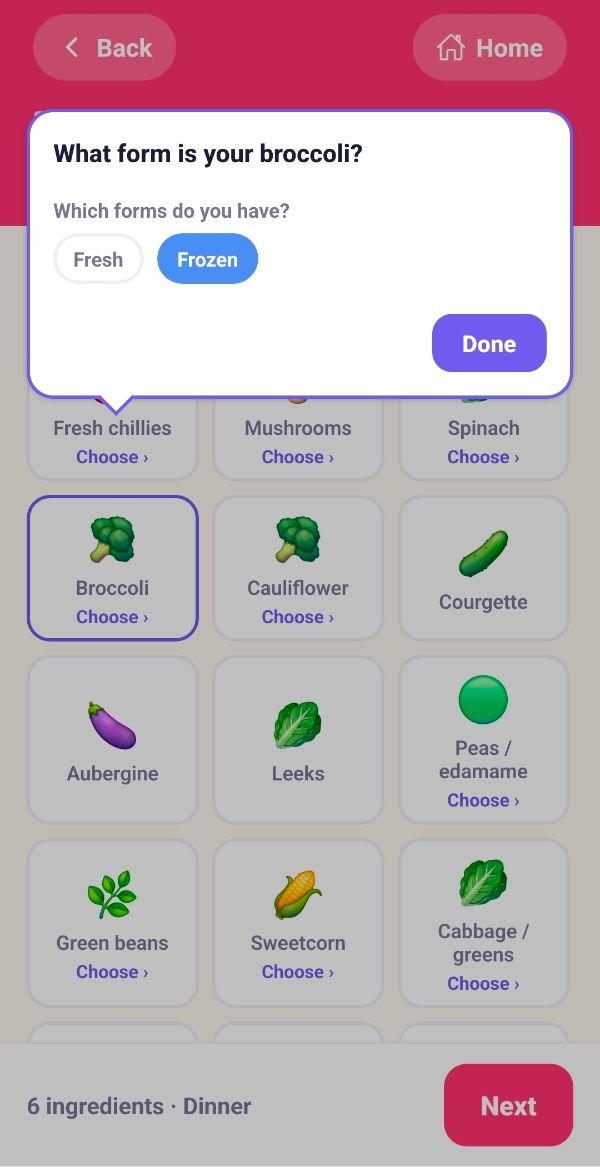
Fresh or frozen
Switch ingredients between fresh and frozen and the method and shopping list follow.
Four simple steps
Set up once
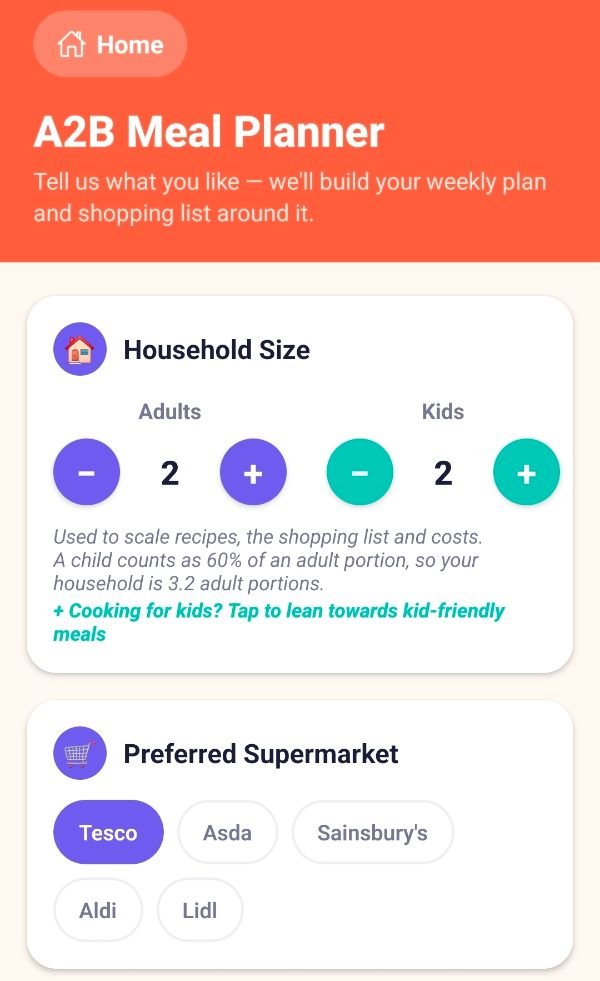
Who is eating, your supermarket, budget, days and meals, kitchen equipment, diets, allergies and the foods you like.
Get your week plan
Breakfast, lunch, dinner and optional snacks. Swap one meal or regenerate the lot.
Shop
All ingredients combined, scaled to your household, grouped by aisle and priced for your supermarket.
Cook
Open any recipe and follow it step by step with timers. Short of time? Use SOS.
You can use the whole app as a guest with no sign-up, and nothing leaves your phone. Or create a free profile to save and share.
A week of meals, planned around you
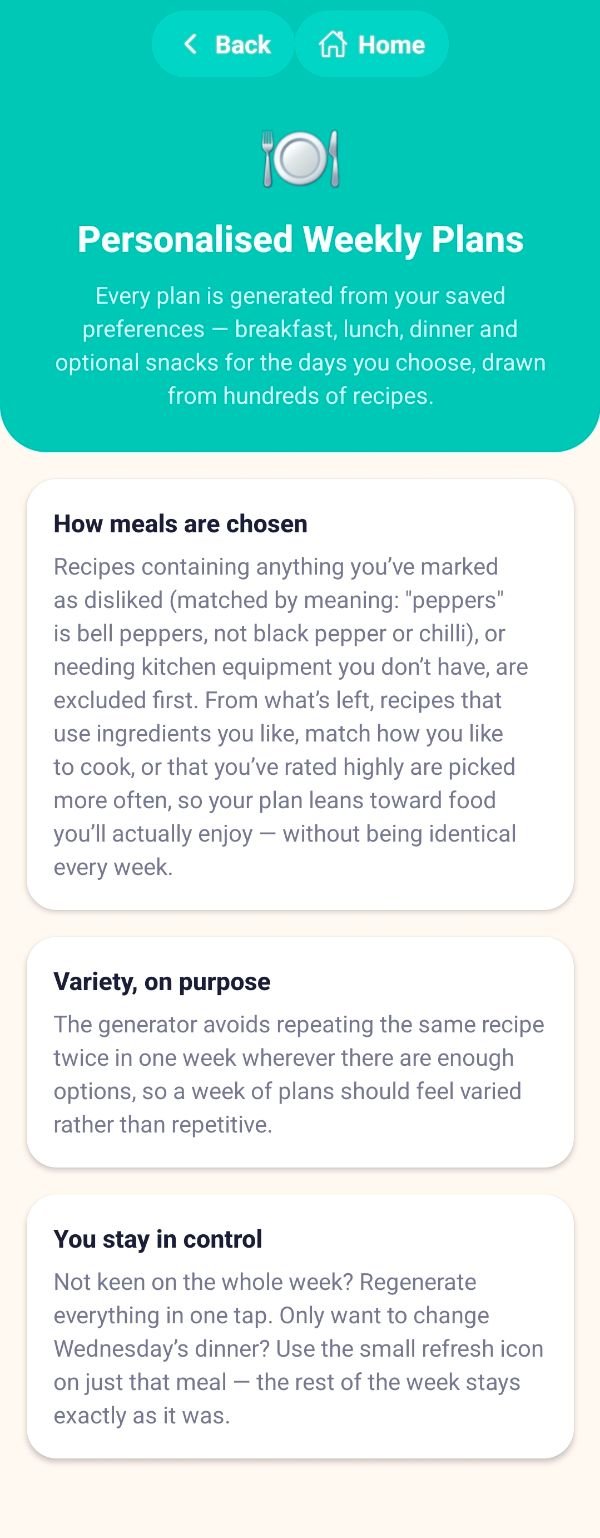
Plans lean towards the foods and cuisines you like and the recipes you rate highly, and avoid repeating a recipe in the same week where there are enough options.
- Breakfast, lunch, dinner and optional snacks for the days you choose
- Over 1,300 recipes (about 450 dinners, 310 lunches, 290 breakfasts and 310 snacks)
- Regenerate the whole week in one tap, or refresh just one meal and leave the rest alone
- Calories, protein, carbohydrates, sugar, fat and fibre on every meal (a guide only, not a target)
Safe, personal and easy to set up
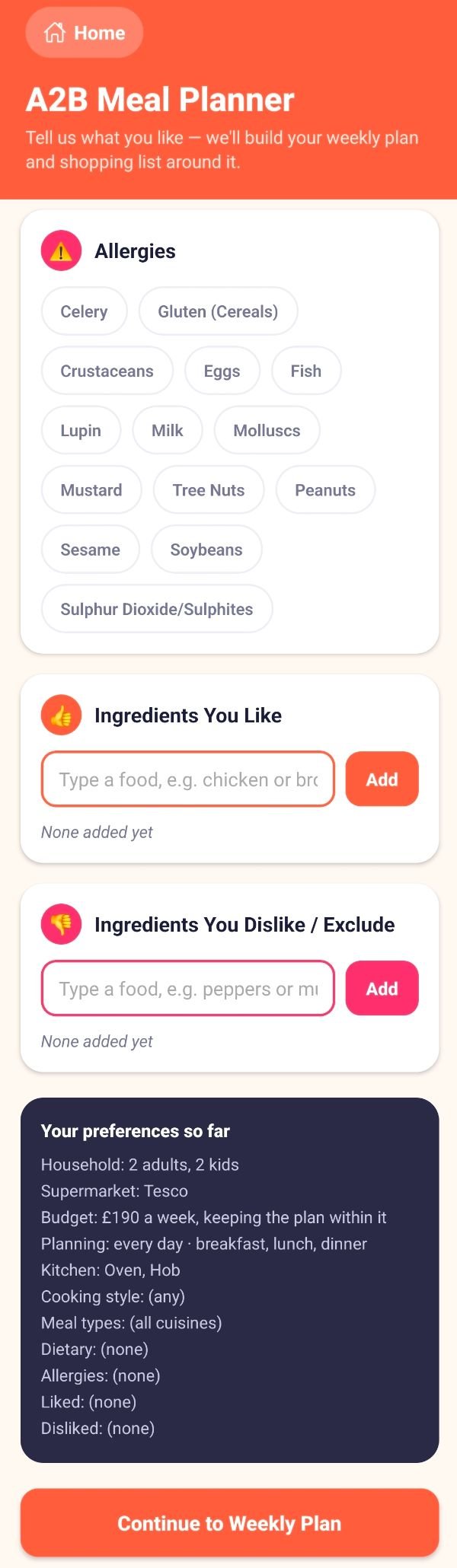
Allergies are a hard safety filter. Anything containing a ticked allergen is excluded completely and never relaxed.
- Diets: vegetarian, vegan, pescatarian, gluten-free, dairy-free, low-carb, high-protein, halal-friendly and kosher-friendly
- The UK’s 14 major allergens, from celery and gluten to sesame and sulphites
- A smart food picker that matches by meaning, so “peppers” means bell peppers, not black pepper
- Liked foods make recipes more likely; disliked foods are left out of plans completely
- Always check labels and packaging. The app is a planning aid, not a substitute for reading ingredients
A shopping list that does the sums
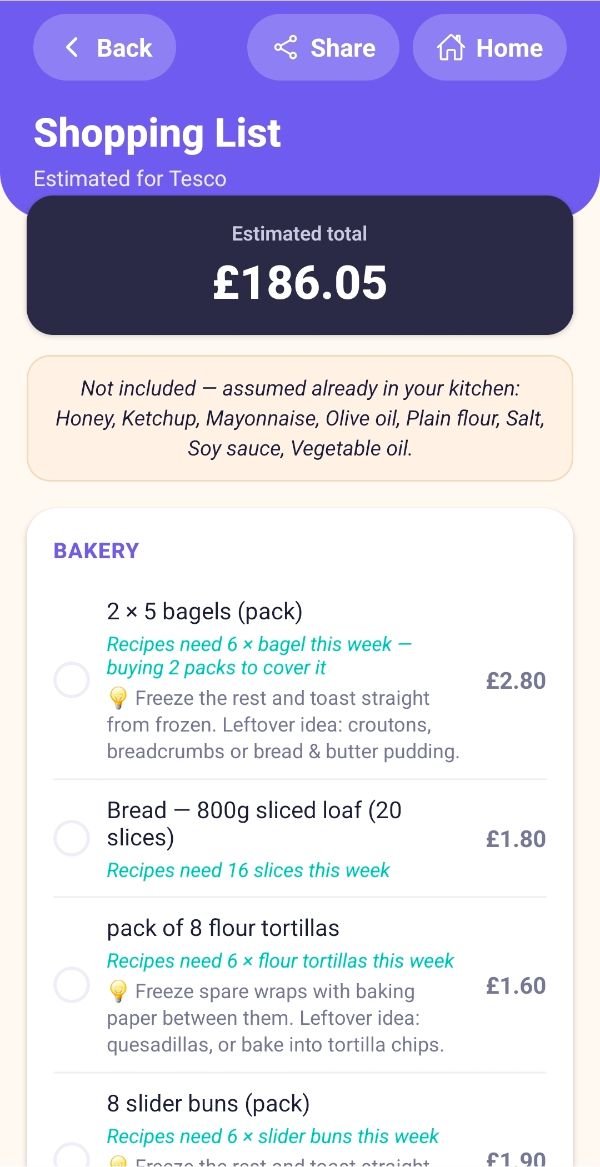
One list with every meal’s ingredients combined, scaled to your household and grouped into aisle-style sections.
- Priced for Tesco, Asda, Sainsbury’s, Aldi or Lidl, with a running total
- Whole pack sizes, “recipes need X, buying Y”, and a leftover or freezing idea when a lot of a pack would go spare
- Tick “I already have this” and the total updates
- Cupboard staples such as salt, oil and spices are left off, with a note
- Set a weekly budget, see the cost per serving, and keep your plan within budget by swapping the priciest meals for cheaper ones
- Fresh or frozen switches on ingredients move frozen items into their own Frozen section
Cook step by step, with timers that work
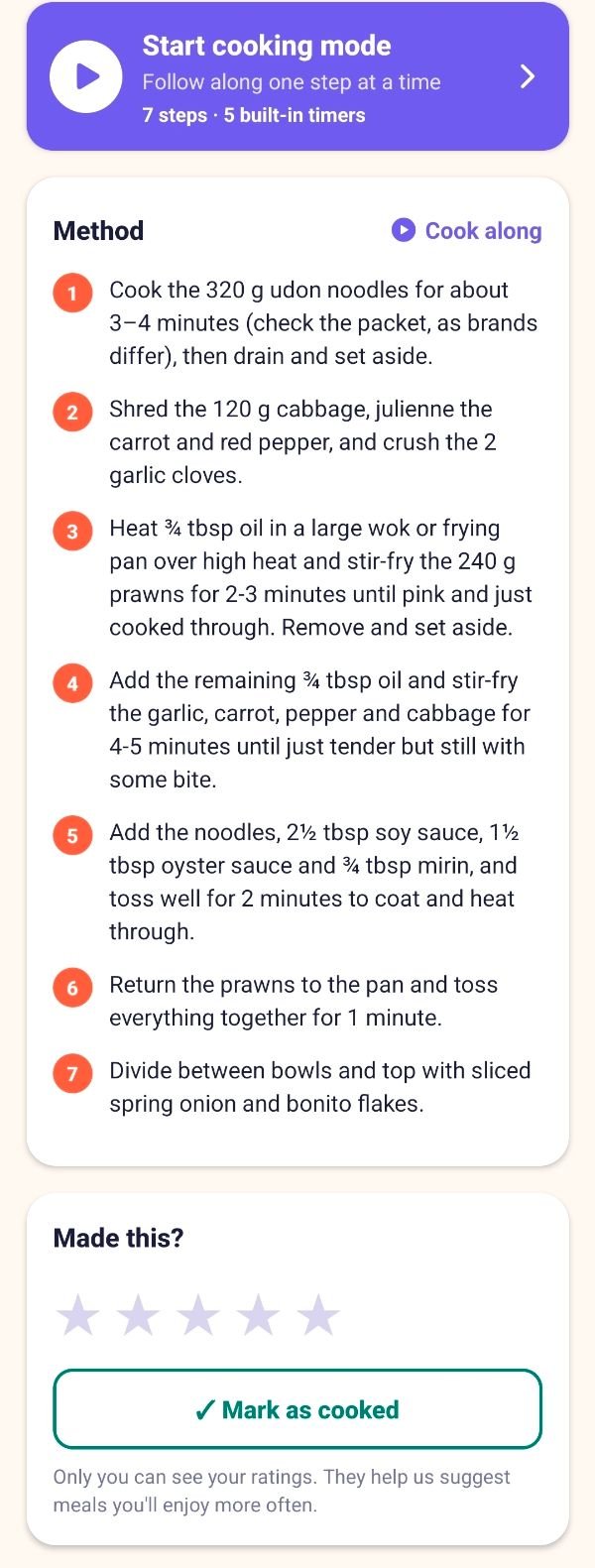
Open any recipe and tap Start cooking mode for one big, clear step at a time, with exactly the ingredients you need for that step.
- Timers keep running if you move on and alert you with sound and vibration, even if your phone is locked
- Your screen stays awake while you cook
- Overlapping steps are called out clearly: “Meanwhile” tells you what it is alongside
- Choose your equipment: oven, hob, microwave, air fryer, slow cooker, blender, grill or toaster
- “Cook with” converts a recipe to air fryer or slow cooker, with 100 dedicated air-fryer and 84 slow-cooker recipes
- The method gets frozen food right, for example “defrost first” for raw chicken and cooking sausages straight from frozen
What can I make right now?
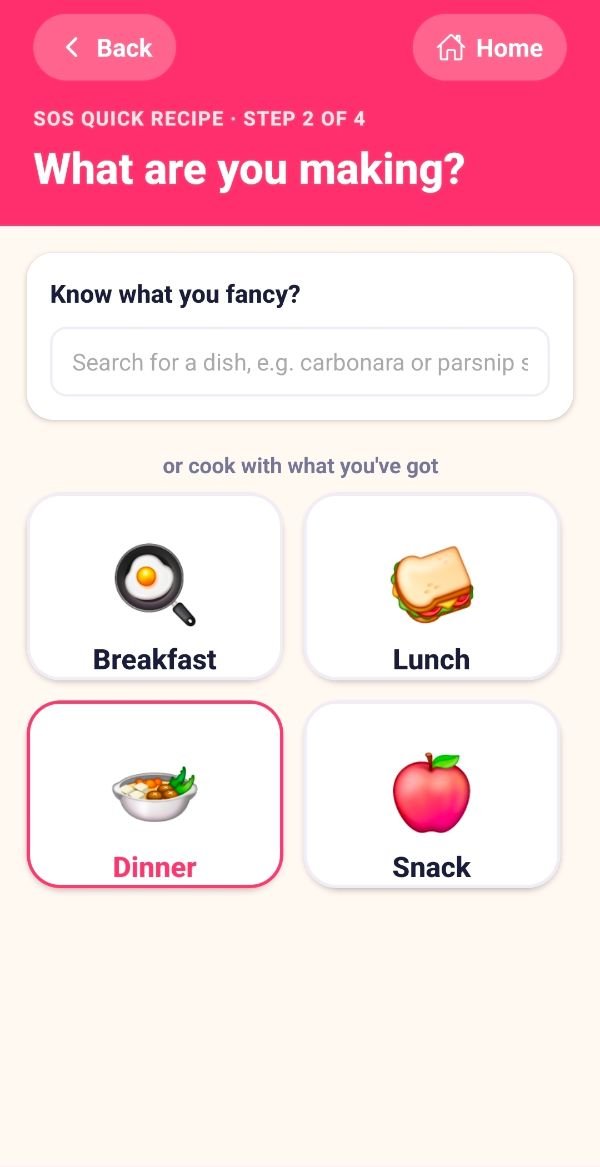
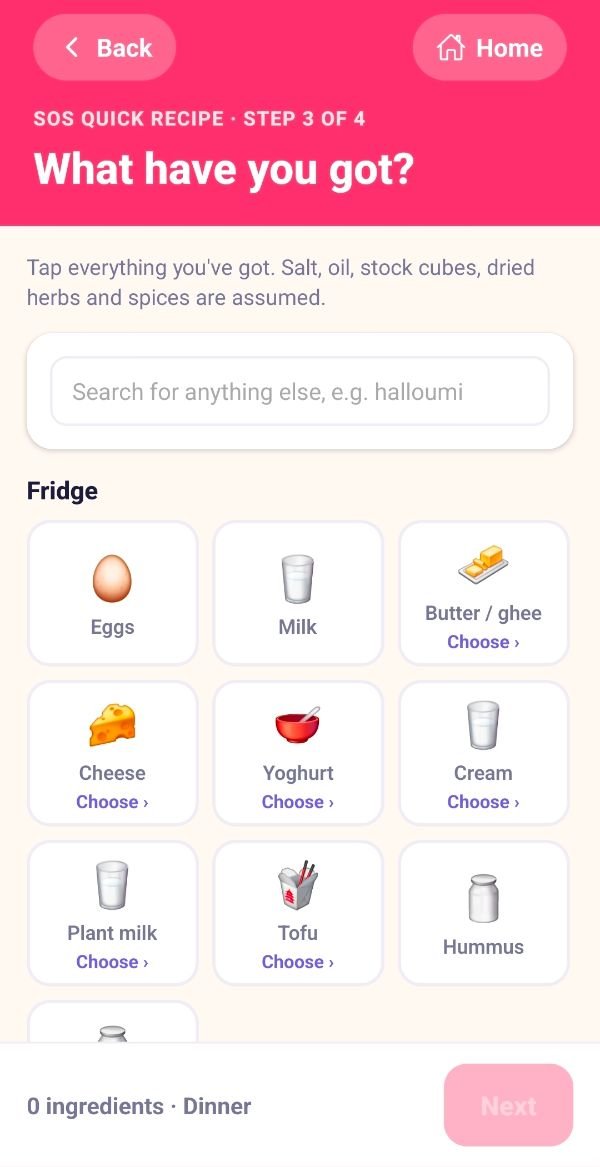
A separate quick flow that doesn’t use or change your profile. Tell it what you have and it finds the best recipe you can make.
- Step 1: who is eating. Step 2: breakfast, lunch, dinner or snack, or search for a dish you fancy
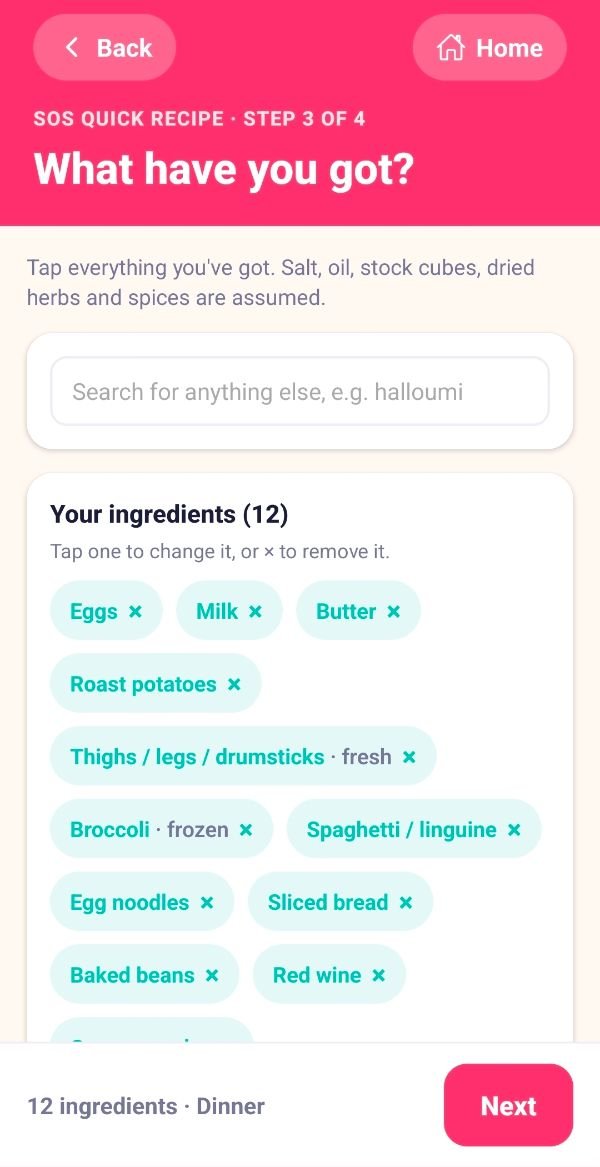
- Step 3: tap the tiles for what is in your kitchen, grouped like a supermarket, and say whether it is fresh, frozen, dried or tinned
- Step 4: diets, allergies, equipment, cuisines and anything to avoid, remembered on your phone for next time
- The result is ranked by how much you already have, with the full method, timers, “Try another idea” and exactly which one or two extra items are missing
- Salt, oil, stock cubes, dried herbs and spices are assumed

Made for the whole household
Adults and kids are counted properly, and an optional free profile lets you save and share.
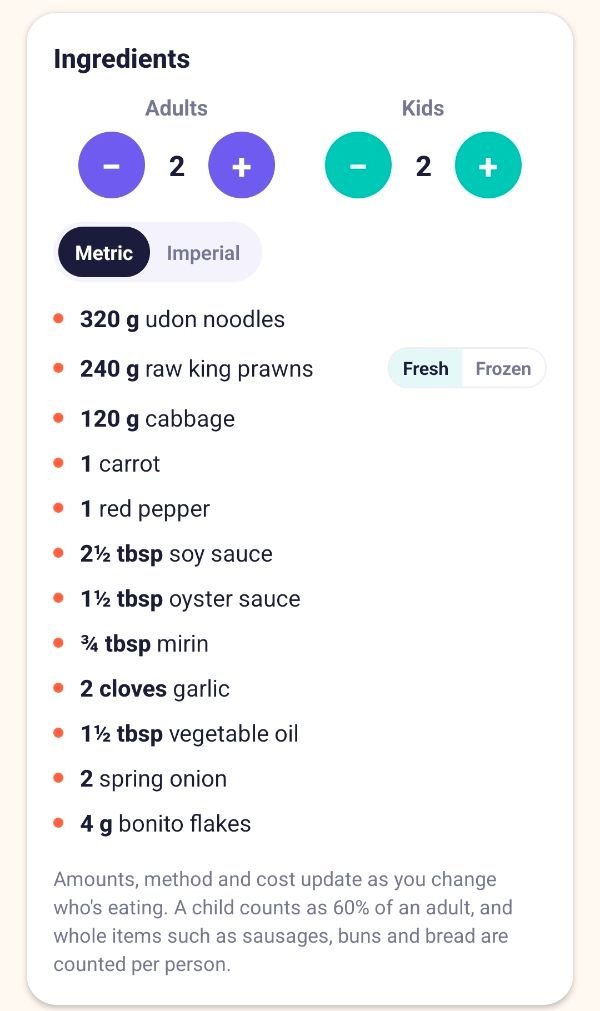
- A child counts as 60% of an adult portion, and amounts and cost follow
- Whole items such as sausages and eggs are rounded sensibly, so you never get “4¾ hot dogs”
- 372 kid-friendly recipes, and everyone eats the same meals at different portion sizes
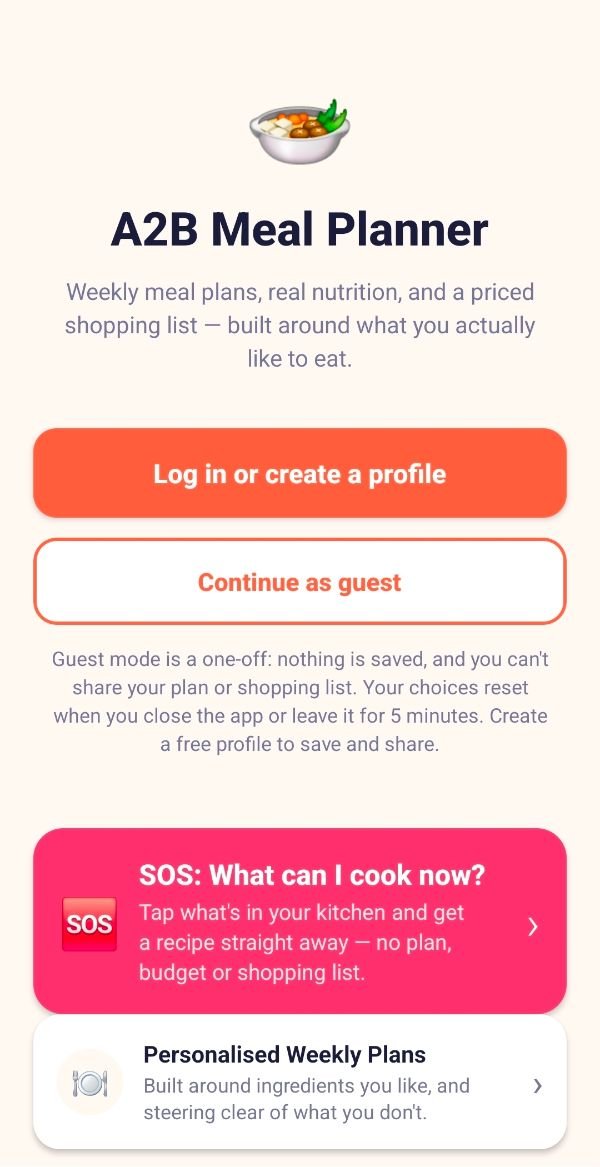
- Guest mode: every planning feature works and nothing leaves your phone
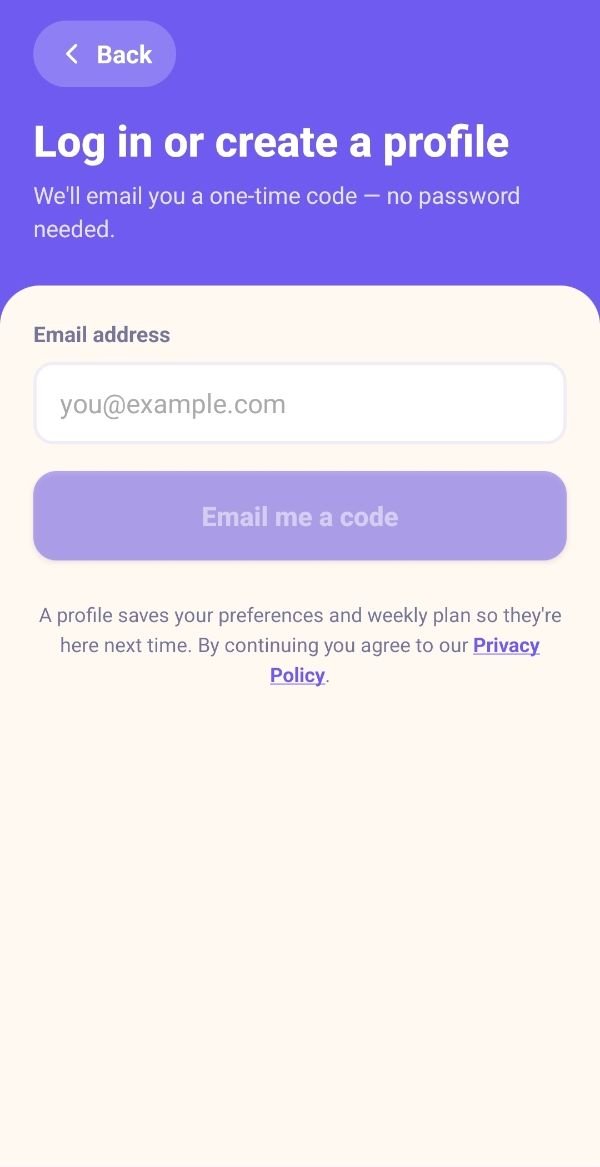
- Free profile: sign in with an emailed one-time code (no passwords), save your preferences and plan, rate recipes and share plans and shopping lists
- Each feature has an in-app “How it works” page, written in plain English
Honest about what it can and can’t do
We would rather you know up front.
- Prices are typical UK estimates, not live supermarket prices. A final check in store is always wise.
- Nutrition and allergen information is a guide only, so always check labels.
- Cooking times are typical. Check the pack where brands differ.
- Android only at the moment, soon to be launched on Google Play.
- IoS in the making, expecting to launch Spring 2027
- Guest mode collects nothing
- Profiles are optional and for ages 13 and over
- No analytics, no tracking, no marketing emails, never sold
- Data held in the UK (London)
- Permissions: only notifications (for timers), vibration and keeping the screen on
- No camera, location, contacts, photos or microphone
Privacy Policy
Last updated: 25 October 2026
This Privacy Policy applies to the A2B Meal Planner app ("the app", "we", "us", "our"), created by a2bwebsites.com. It explains what personal information the app collects, why, how it is kept safe, and the choices and rights you have.
- Guest mode collects nothing. If you use the app without a profile, nothing you enter leaves your phone. Your plan and preferences are erased when you close the app or leave it for 5 minutes. The only thing a phone remembers is the quick choices you make in the SOS feature (see section 2), which stay on your phone and are never sent to us.
- A free profile is optional. If you create one, we store your name, email address, UK county and food preferences so you can log in, keep your settings and share plans and lists.
- We never sell your profile information, use no analytics or tracking, and send no marketing emails.
- No adverts yet. To keep the app free, we plan to add occasional small banner adverts in future, never full-screen or video adverts, and never anything that stops you using the app. Your name, email address, county, allergies and dietary requirements will never be given to advertisers (see section 11).
- You can delete your profile and everything in it at any time from inside the app.
1. Who we are
A2B Meal Planner is created and run by a2bwebsites.com, which is the "controller" of your personal information under UK data protection law. You can contact us about anything in this policy at info@a2bwebsites.com.
2. Using the app as a guest
You can use every planning feature without a profile. In guest mode your household size, supermarket, weekly budget, cooking days and meals, kitchen equipment, cooking style, dietary requirements, allergies, cuisine choices, liked and disliked ingredients, weekly plan and shopping-list ticks are held only in your phone's memory while the app is open. They are never sent to us or anyone else, and they are erased when the app is closed or left in the background for more than 5 minutes. Your choices of fresh or frozen ingredients in each recipe are held the same way. (An SOS quick recipe you're in the middle of is kept in memory until you close the app, so it isn't lost while you cook.) Guests cannot share plans or shopping lists, or save recipe ratings.
The SOS quick recipe remembers its own choices. So you don't have to enter them every time, SOS remembers on your phone how many adults and children are eating and the quick preferences you chose there: dietary requirements, allergies, kitchen equipment, cuisines, how you like to cook, and foods you like or want to avoid. This is kept separately from your guest set-up or profile, is stored only on your phone, and is never sent to us or anyone else, whether you are a guest or signed in. It stays until you change it, clear the app's data, uninstall the app, or sign out of or delete your profile.
3. Information we collect if you create a profile
| Information | Why we need it |
|---|---|
| Email address | To create your profile and send you a one-time login code. We do not use passwords. |
| First name and last name | To greet you in the app. When you share something, the person you share with sees your first name and the first letter of your last name (for example "Andy S."). |
| UK county | Stored as part of your profile. We only ask for your county, never your address. |
| Food preferences: household size (adults and children), chosen supermarket, weekly budget, the days and meals you want planned, kitchen equipment you have, how you like to cook, dietary requirements, allergies, cuisine choices, and liked or disliked ingredients | To build your meal plans and shopping lists around you, and to restore them when you log in on another phone. |
| Your last SOS quick recipe (the meal, ingredients you ticked and the form they are in, such as fresh or frozen, and ideas found) | So it's still there next time you open the app. This is kept on your phone only. |
| Your SOS settings (who is eating and the quick preferences you chose in SOS) | So SOS starts from your last choices. This is kept on your phone only and is not part of your online profile (see section 2). |
| Which ingredients you use frozen in each recipe | So the recipe method and your shopping list match what you have in your freezer. This is kept on your phone only. |
| Your current weekly meal plan | So your plan is still there next time you log in. |
| Recipe ratings (1 to 5 stars) and the dates you mark recipes as cooked | So you can keep track of meals you've made, and so recipes you rate highly come up more often in your plans (and ones you rate low come up less). Only you can see your ratings; they are never shared or shown publicly. |
| Things you share (see section 5) | So the people you share with can view them. |
| The date you gave consent to us storing dietary requirements and allergies | To keep a record of your consent (see section 4). |
| Technical information: login session details, and the IP address and time of requests to our servers | To keep you logged in and to protect the service against misuse. This is recorded automatically by our hosting provider. |
Items you tick off a shopping list, including on lists shared with you, and your fresh or frozen choices for each recipe, are saved on your phone only.
4. Dietary requirements and allergies
Information about allergies is health information, and some dietary choices (such as halal or kosher) may indicate religious beliefs. UK law treats this as "special category" information. We only store it on your profile with your explicit consent, which you give by ticking the consent box when you create your profile. We use it only to build your meal plans and shopping lists, and never share it with anyone except as explained in section 7.
The SOS feature can also remember dietary requirements and allergies on your phone, so you don't have to re-enter them. These stay on your phone only and are never sent to us. You can change or clear them at any time in SOS, and signing out or deleting your profile removes them.
You can withdraw your consent at any time by removing these choices from your food preferences, or by deleting your profile. Guest mode never sends this information to us.
Please note: the app helps you avoid ingredients, but recipes and allergen information are provided as a guide only. Always check product labels and packaging, especially if you have a serious allergy.
5. Sharing meal plans and shopping lists
If you choose to share a meal plan or shopping list, the app saves a copy of it online with a unique share code, and opens your phone's share menu so you can send an invitation (for example by WhatsApp, Messenger or email). The shared copy includes the meals in the plan, or the shopping list items and prices, your first name and last-name initial, and the date it was shared. It does not include your email address, county, allergies or other preferences.
Anyone who has the share code and their own profile can add the shared item to their app and view it, so please only send codes to people you want to see them. People you share with can remove shared items from their own app at any time. Shared items are deleted if you delete your profile.
When you add a share code someone has sent you, we record that the shared item has been added to your profile so it appears in your Shared Meal Plans or Shared Shopping Lists.
6. Our legal reasons for using your information
- To provide your profile and its features (logging in, saving preferences, plans and recipe ratings, sharing): because it is necessary to provide the service you have asked for.
- Dietary requirements and allergies: your explicit consent (section 4).
- Security and preventing misuse (technical information): our legitimate interest in keeping the service safe and working.
7. Who we share your information with
We do not sell, rent or trade your information, and we do not give your profile information to advertisers. (Section 11 explains what an advertising provider would collect once adverts are added.) We use a small number of trusted service providers who handle it only on our instructions and under data protection agreements:
- Supabase — securely stores profiles, preferences, plans, recipe ratings and shared items, and manages logins. Your information is stored on servers in London, UK.
- Hostinger — sends the one-time login code emails, so it processes your email address and the email it contains.
- Google Play — distributes the app. Google's own privacy policy applies to your use of Google Play.
Some of these providers are based outside the UK and may access information from other countries (for example for technical support). Where this happens it is protected by the safeguards required by UK law, such as the UK International Data Transfer Agreement or Addendum. We may also disclose information if required by law.
8. How long we keep your information
- Your profile, preferences, plan, recipe ratings and the items you've shared: until you delete your profile. They are then deleted immediately, and anything you shared disappears from other people's apps.
- Information held only on your phone (SOS settings, your last SOS recipe and your fresh or frozen choices): until you change or clear it, clear the app's data, uninstall the app, or sign out of or delete your profile. We cannot see or delete it for you.
- Technical logs: kept for a limited period by our hosting provider for security, then deleted automatically.
- Copies in providers' backups are removed on their normal backup cycle.
9. Keeping your information safe
All information sent between the app and our servers is encrypted, and it is encrypted when stored. Each person's profile is protected so that only they can read or change it, and shared items can only be viewed by people with the share code and a profile. Logins use one-time email codes instead of passwords. No method of storing information online is completely secure, but we take appropriate steps to protect yours.
10. Your rights
Under UK data protection law you have the right to:
- access the personal information we hold about you;
- correct it (you can edit your details and preferences in the app under My Account);
- have it deleted (see "Deleting your profile" below);
- restrict or object to how we use it;
- receive a copy of it in a portable format; and
- withdraw your consent at any time, without affecting anything done before you withdrew it.
To use any of these rights, email info@a2bwebsites.com from the email address on your profile. We will respond within one month. If you are unhappy with how we have handled your information, you can complain to the Information Commissioner's Office (ICO) at ico.org.uk or on 0303 123 1113. We would appreciate the chance to sort things out first, so please contact us.
11. Advertising, analytics and tracking
Today: the app contains no adverts, analytics tools, crash-reporting services or third-party tracking. We do not build profiles about you for marketing and we do not send marketing emails.
Adverts we plan to add
A2B Meal Planner is free, and to help cover its running costs we plan to show adverts in future. When we do:
- They will be small banner adverts shown occasionally, for example at the bottom of a screen. There will be no full-screen, pop-up or video adverts, and an advert will never stop you using the app or any of its features.
- Adverts will be supplied by an advertising provider, such as Google AdMob. Like all advertising services, the provider collects some information from your phone directly to show adverts and count how often they are seen: your device's advertising ID, approximate location (worked out from your IP address), basic device information, and how adverts are viewed and tapped. This applies whether or not you are signed in.
- Personalised adverts only if you agree. Before any adverts appear, the app will ask whether you are happy to see adverts based on your interests. If you say no, you will only see general, non-personalised adverts. You can change your choice at any time in the app, and you can also reset or delete your advertising ID in your phone's settings.
- We will never give advertisers your name, email address, county, allergies, dietary requirements, recipe ratings, meal plans or anything you have shared.
- Before adverts are switched on, we will update this policy to name the advertising provider and link to its privacy policy, and we will email everyone with a profile.
12. Permissions
The app does not ask for access to your camera, location, contacts, photos or microphone. It uses your internet connection only for profile features: logging in, saving your preferences, plan and ratings, and sharing.
- Notifications: the first time you start a cooking timer, the app asks to send you notifications, so it can alert you when the timer finishes even if your phone is locked. These alerts are created on your phone; nothing is sent to us or anyone else, and we never use notifications for marketing. You can say no, or turn them off later in your phone's settings, and timers will still work while the app is open.
- Vibration and keeping the screen on: while you are in step-by-step cooking mode the app keeps your screen awake, and vibrates when a timer finishes.
13. Children
Profiles are for people aged 13 and over. Anyone can use guest mode, which collects no information. If we learn that a child under 13 has created a profile, we will delete it.
14. Deleting your profile
You can delete your profile and all the information stored with it at any time:
In the app
- Open A2B Meal Planner and log in.
- On the home screen, tap My Account.
- Tap Delete my account and confirm.
By email (if you can't access the app)
Email info@a2bwebsites.com from the email address on your profile, with the subject "Delete my A2B Meal Planner account". We will delete your profile within 30 days and confirm by email.
Deleting your profile permanently removes your name, email address, county, food preferences, saved plan, recipe ratings and cooked history, consent record and everything you have shared. It also clears the SOS settings and fresh or frozen choices saved on that phone. This cannot be undone. Items other people shared with you are removed from your app but stay available to their other recipients.
15. Changes to this policy
If we change what the app collects or how it uses information, we will update this policy and the "Last updated" date above. If a change is significant, we will also email everyone with a profile before it takes effect.
16. Contact us
- Email: info@a2bwebsites.com
- Website: www.a2bwebsites.com
17. Governing law
This policy is governed by the laws of England and Wales, including the UK General Data Protection Regulation (UK GDPR) and the Data Protection Act 2018.
This policy reflects how the app works as of the date above. It is not a substitute for independent legal advice.
Get in touch
We are happy to help. Email us and we will get back to you.